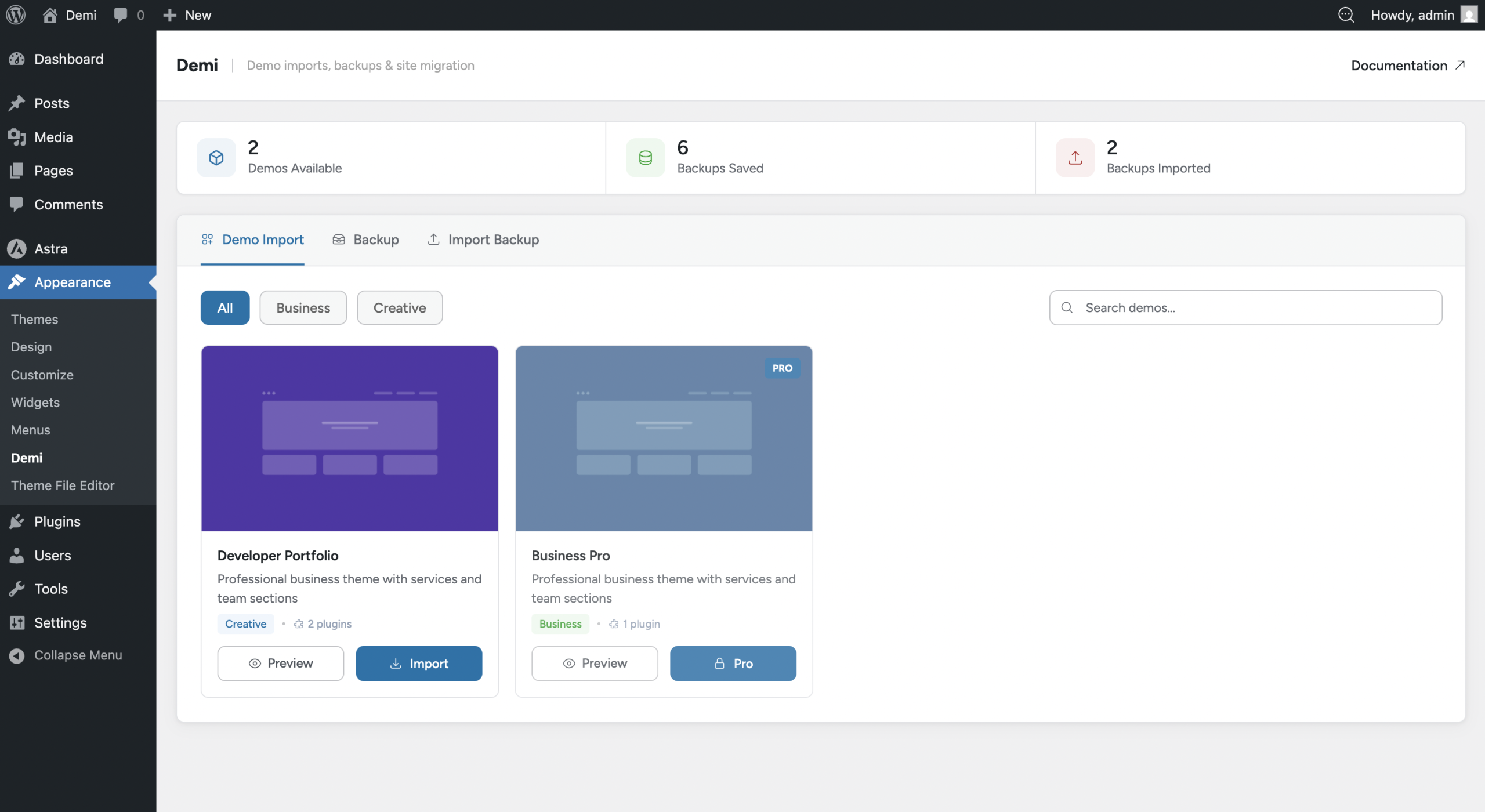
If you are a theme developer, you can make your WordPress theme compatible with Demi WordPress Plugin by registering demo websites. This allows users to import ready-made demo content directly from the Appearance → Demi → Demo Import page.
Demi provides a WordPress filter hook called demi_import_demos which you can use to register your demo packages. Using this hook, you can define multiple demos, assign required or optional plugins, set preview images, and mark demos as premium (pro) or free.
Creating the Demo ZIP File
Before registering a demo, you need a demo ZIP file. You can create this directly from your website using Demi:
- Navigate to Appearance → Demi → Backup.
- Click the Create Content Backup button.
- After the backup is generated, click Download to save the ZIP file.
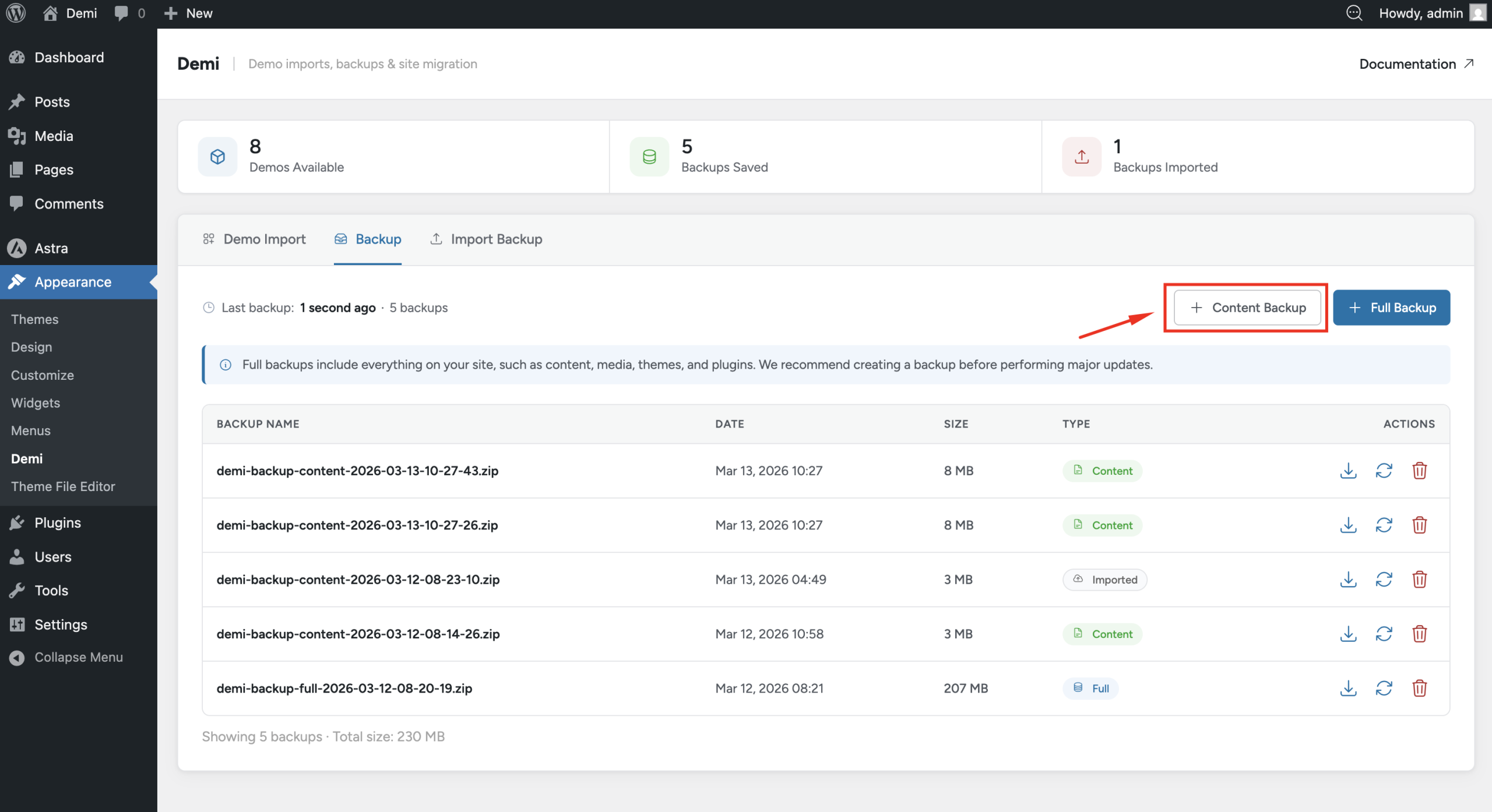
This ZIP file can now be used as the zip_source in your demo registration.
Registering Demos Using Hook
Add the following code to your theme’s functions.php file or a custom plugin:
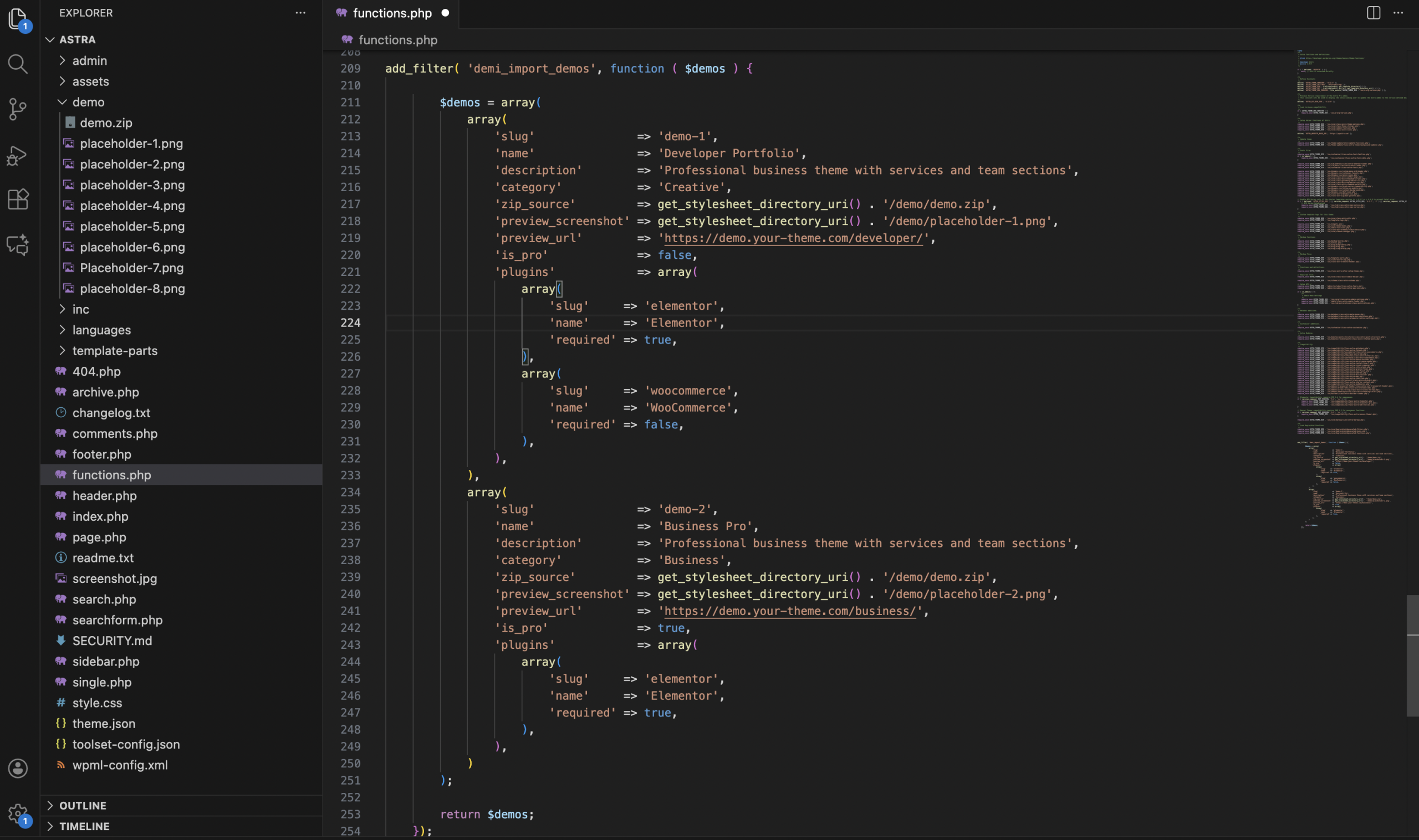
add_filter( 'demi_import_demos', function ( $demos ) { $demos = array( array( 'slug' => 'demo-1', 'name' => 'Developer Portfolio', 'description' => 'Professional developer theme with services.', 'category' => 'Creative', 'zip_source' => get_stylesheet_directory_uri().'/demo/demo.zip', 'preview_screenshot' => get_stylesheet_directory_uri().'/demo/placeholder.png', 'preview_url' => 'https://demo.your-theme.com/developer/', 'conditional' => false, 'conditional_demo_error_title' => 'demo for business websites.', 'conditional_demo_error_msg' => 'This is a demo for business websites including portfolio and services.', 'plugins' => array( array( 'slug' => 'elementor', 'name' => 'Elementor', 'required' => true, ), array( 'slug' => 'woocommerce', 'name' => 'WooCommerce', 'required' => false, ), ), ), array( 'slug' => 'demo-2', 'name' => 'Business Pro', 'description' => 'Professional business theme with services.', 'category' => 'Business', 'zip_source' => get_stylesheet_directory_uri().'/demo/demo.zip', 'preview_screenshot' => get_stylesheet_directory_uri().'/demo/placeholder.png', 'preview_url' => 'https://demo.your-theme.com/business/', 'conditional' => true, 'conditional_demo_error_title' => 'demo for business websites.', 'conditional_demo_error_msg' => 'This is a demo for business websites including portfolio and services.', 'plugins' => array( array( 'slug' => 'elementor', 'name' => 'Elementor', 'required' => true, ), ), ) ); return $demos; });
How This Works
- Filter Hook:
demi_import_demosis used to register demo data for your theme. - Demo Array: Each demo is defined as an array with keys like:
slug– Unique ID for the demoname– Demo name displayed in Demidescription– Short description of the democategory– Category of the demozip_source– URL to the demo zip filepreview_screenshot– URL to the demo preview imagepreview_url– Live demo URLconditional– Set totruefor premium demosplugins– Required or optional plugins for the demo- conditional_demo_error_title – demo for business websites
- conditional_demo_error_msg – This is a demo for business websites including portfolio and services.
- Pro Demos: If
condtionalistrue, users need a valid license or code to import the demo. - Plugins: You can define required plugins (auto-installed) and optional plugins (can be skipped by the user).
- Registering plugins
- WordPress.org plugins: No
sourceparameter is required. Just add the correct pluginslugandname. - Plugins bundled with the theme: Add the plugin ZIP file path in the
sourceparameter. - Plugins hosted remotely: Add the plugin ZIP file URL in the
sourceparameter.
- WordPress.org plugins: No
Benefits for Theme Developers
- Offer multiple demos for your theme users.
- Allow selective installation of required and optional plugins.
- Provide free and premium (pro) demos.
- Enhance the theme setup experience with one-click demo import.